
Pin Trading - Scan & Collect
Evergreen Apps LLCLifestyle
4.527.00 Reviews
- Version
- 1.1.9
- Installs
- 10.00K
- Age Rating
- Everyone
Screenshots
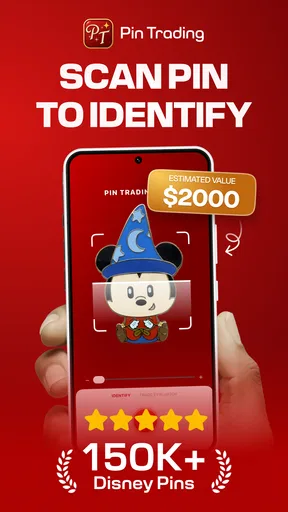
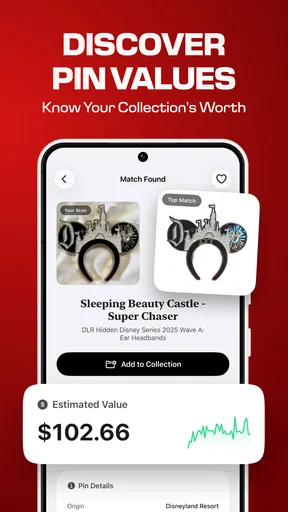
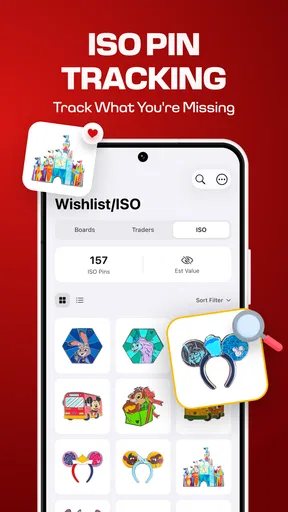
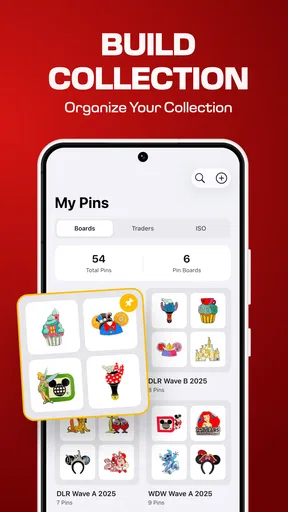
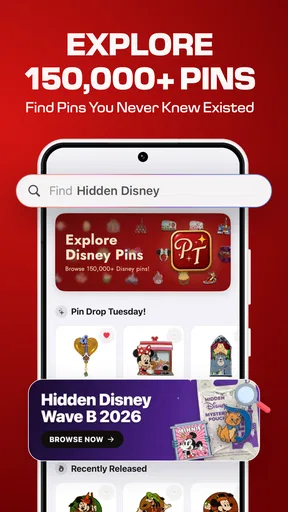
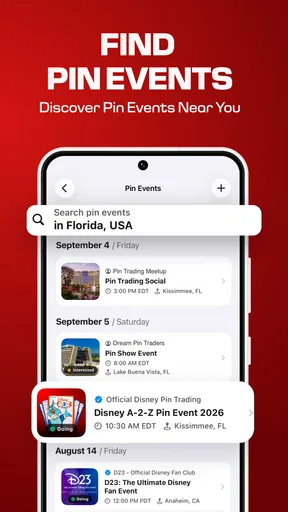
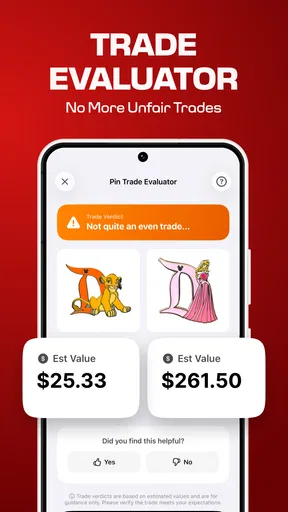
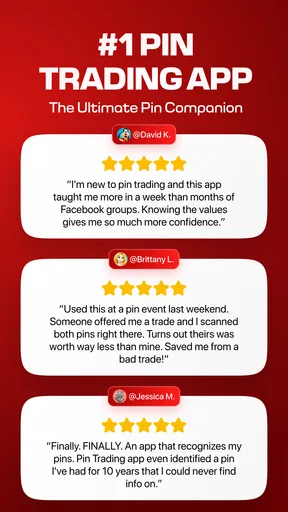
Our Review of Pin Trading - Scan & Collect
 Analysis by Appyee
I approached Pin Trading - Scan & Collect as a practical companion for people who enjoy collecting and exchanging pins, rather than as another general-purpose lifestyle app. That distinction matters. Its appeal depends on whether you want your phone involved while you browse, organize, and discuss a physical collection. If you do, the app has a clear role. If you prefer a notebook, spreadsheet, or simple photo folder, its value is less obvious.
My first impression is that the concept is easy to understand: use a mobile device to support pin trading and keep collection-related activity more manageable. The store identifies it as a pin trading app, while Evergreen Apps LLC presents it under the lifestyle category. It is free to start, rated for Everyone, and currently listed as version 1.1.9, so it is approachable for families, casual collectors, and experienced traders alike.
What makes the experience interesting is not simply the act of scanning. The useful question is what happens around that action: when you are standing at a trading event, when you are comparing several pins quickly, when your connection is unreliable, and when you need to remember what you have already seen. Those are the moments that determine whether this feels like a helpful tool or just another app competing for attention.
How Pin Trading - Scan & Collect fits real collecting habits
I look at a pin-trading app as part of a routine that begins before a meetup, not just something to open across the table. In this section, I’ll focus on how preparation can make quick checks more useful without turning collecting into paperwork. That starting point also makes it easier to see where the app fits among familiar ways of keeping track.
Scanning is most useful when your hands are already busy
The strongest use case is a live trading situation. Imagine arriving at a busy meet-up with a small pouch of pins, a phone, and a list of pieces you hope to find. People are moving around, conversations are short, and you do not want to spend several minutes typing notes after every exchange. A scan-oriented workflow makes more sense here than opening a blank note and building your own system from scratch.
I would use the app before an event to get my collection into a workable state, then keep the phone ready for quick checks during the day. That preparation is important because a collection companion is only as useful as the information you have already organized. If you begin with no structure, the first event can feel like data entry rather than trading.
A practical habit is to separate three mental groups before you start: pieces you own, pieces you are willing to trade, and pieces you are actively looking for. Even if the app does not replace your personal judgment, this division helps prevent the most common trading mistake: offering something you meant to keep. I would also take a moment after each exchange to verify the result instead of assuming the scan or tap captured everything correctly.
The real advantage is reducing memory pressure during a busy exchange. Collectors often remember a pin visually but forget whether it is already in a drawer, packed in a travel case, or promised to someone else. A phone-based reference can make those decisions faster, especially when the collection has grown beyond what you can recall at a glance.
Connectivity changes the rhythm more than the basic idea
The app becomes most comfortable when the phone has a dependable connection. That is especially relevant in crowded venues, public transport, large stores, or indoor events where mobile service can become inconsistent. A scan may feel instantaneous from the user’s point of view, but any part of the experience that depends on communication with online services can introduce waiting, retries, or uncertainty.
I would not treat a successful-looking interaction as complete until I had seen the expected result appear in the app. That small pause is easy to overlook when another collector is waiting. It is also the point where a weak connection can create confusion: did the item register, or did the screen simply fail to refresh?
This is why I see the app as a companion to a trading routine, not a replacement for basic preparation. Before leaving home, I would make sure the phone is charged, open the app while connected, and keep a simple personal backup for especially valuable or sentimental items. That backup could be a short note or a photo kept on the device, not because the app is necessarily unreliable, but because physical trading often happens in places where connectivity is outside your control.
Mobile use works best in short, deliberate sessions
Pin collecting is a hands-on hobby, and a phone can easily get in the way if it demands too much attention. I found the idea most appealing in short sessions: check an item, confirm its place in the collection, then return to the conversation. It is less attractive if you need to stare at the screen while comparing every detail.
That makes the app a better fit for structured browsing than for leisurely appreciation of a collection. When I am sorting pins at home, I can take my time and correct mistakes. At an event, I want quick confirmation with minimal interruption. The best workflow is therefore different in each setting: detailed organization at home, lightweight checking away from home.
There is also a social consideration. Trading is partly about trust and conversation. Constantly scanning a phone can make an exchange feel transactional, even when that is not your intention. I would explain what I am checking, keep the screen visible when appropriate, and avoid letting the app become a barrier between me and the person I am trading with.
For families, the Everyone rating makes the app easier to introduce as a shared collecting tool. A parent and child could review a collection together, decide which pieces are available for trading, and use the phone as a prompt for discussion. Younger users may still need guidance around handling pins safely and making fair exchanges, because the app can organize information but cannot replace adult judgment or good trading etiquette.
What to do when a scan or update does not behave as expected
Any scan-based workflow deserves a recovery plan. If the app appears to stall, I would first avoid repeating the same action several times. Repeated attempts can make it harder to tell whether one request succeeded and the screen simply failed to update. Instead, I would wait briefly, check the visible collection state, and only try again when I know the earlier action did not register.
If the connection drops during a trade, the safest approach is to pause the record-keeping rather than pause the entire social exchange. I would note the item and the person involved using a basic temporary reminder, then reconcile the information later when the app is responding normally. This is one of the more important practical insights: use the app to support the trade, but never let a network problem decide whether the trade itself is trustworthy.
At home, recovery is easier because you can compare the physical pins with the app at a calm pace. I would keep newly traded pieces together until the record is confirmed, then return them to their usual storage. That simple staging area prevents a failed update from turning into a missing-item mystery.
Version 1.1.9 suggests that the app is being maintained as a current product, but I would still keep the normal mobile troubleshooting habits in mind: close and reopen the app if the interface becomes unresponsive, check the connection, and make sure the device meets the minimum operating-system requirement. The app supports devices running Android 8.0 or later, which covers a broad range of phones but still excludes older hardware.
Using less data without making the app less useful
Collectors who attend events regularly should think about data use before relying on the app all day. I would avoid repeatedly refreshing screens just because I am waiting for someone to decide on a trade. Open the relevant view once, make the decision, and put the phone away. That is better for battery life, attention, and network usage at the same time.
Preparation also reduces unnecessary activity. If I know which pins I own and which ones I want, I can use the app for confirmation instead of browsing through the entire collection at every table. A focused list is more efficient than treating the app like an endless catalog.
There is a trade-off here. The more carefully you organize before an event, the more useful the app becomes during the event, but the preparation itself takes time. Casual collectors may not want that level of structure. Someone with a small collection could get nearly the same benefit from a few labeled photos. The app earns its place when the collection, trading frequency, or number of decisions becomes difficult to manage manually.
I would also be cautious about using mobile data in places where service is expensive or limited. Connect before leaving when possible, and do the heavier organizational work in a comfortable setting rather than while walking between booths. The goal is not to avoid using the app; it is to reserve live connectivity for moments where it genuinely saves effort.
Where it beats notes, photos, and spreadsheets
The usual alternatives each have a strength. Notes are flexible, photos are quick, and spreadsheets offer detailed control. A pin-trading app has a more focused purpose, which can make it easier to stay within the hobby instead of designing your own filing system.
Compared with a photo folder, a dedicated collection workflow should make it easier to connect an item with a status or trading decision rather than merely recognize its appearance. Compared with a spreadsheet, it should feel less like managing a database and more like handling a collection. The benefit is convenience; the cost is that you have less freedom to invent a completely personal system.
That trade-off is decisive for me. If I wanted custom columns, elaborate valuation formulas, or a collection system shared across unrelated hobbies, I would choose a spreadsheet. If I only wanted visual inspiration, I would use photos. I would choose Pin Trading - Scan & Collect when the central activity is specifically finding, scanning, organizing, and exchanging pins.
Who will get the most from it—and who should skip it
The app is a good match for collectors who attend trading events, regularly compare what they own, or want a more active relationship with their collection. It also makes sense for someone starting to move beyond a handful of pins and looking for a dedicated routine before disorder becomes frustrating.
I would recommend it especially to people who enjoy the practical side of collecting. If you like checking items off, preparing for meet-ups, and keeping trade decisions clear, the focused design should feel more useful than a general note-taking tool. The free entry point makes it easy to test that fit without committing money immediately.
On the other hand, I would skip it if your collection is tiny, rarely changes, or exists mainly for display. I would also hesitate if you dislike using a phone during social activities or if your preferred system depends on highly customized fields. In those cases, a notebook, photo album, or spreadsheet may be calmer and more adaptable.
The app includes in-app purchases priced from about fifteen dollars to forty dollars per item. That makes it important to decide whether the dedicated workflow is genuinely saving you time before paying for anything. I would begin with the free experience, use it during a real collecting situation, and only consider an optional purchase if it solves a problem I actually encounter rather than one I imagine might appear later.
My verdict on a connected pin-trading routine
After looking at the app through everyday trading situations, I see Pin Trading - Scan & Collect as a focused lifestyle utility with a clear audience. It is not trying to replace the physical pleasure of collecting, and it should not. Its job is to make the surrounding decisions easier: remembering what you have, checking what you can trade, and keeping a busy exchange from becoming an exercise in guesswork.
Connectivity is the main practical qualification. The experience is most comfortable when the phone can communicate reliably, while crowded or low-signal locations call for patience and a simple backup note. I would prepare at home, keep live use brief, confirm important changes, and never rely on a single screen during a valuable trade.
With an average rating of about 4.5 from more than two hundred ratings and over ten thousand installs, it has already found a modest audience without feeling like a tool aimed only at professional collectors. Those figures suggest reasonable interest, but my recommendation rests more on fit than popularity: try it if pin trading is an active hobby for you, not merely something you did once.
Evergreen Apps LLC has made a specialized app rather than a generic collection organizer. That focus is its biggest strength and its clearest limitation. I would install it for event preparation, quick collection checks, and a more disciplined trading habit. I would not force it into a role better served by a spreadsheet or photo archive. For the right collector, it can remove small points of friction; for everyone else, the simplest alternative may still be the better tool.
Verdict
Strengths of Pin Trading - Scan & Collect
- Quickly scans and identifies pins for easier collection management.
- Helps organize a pin collection in one convenient digital catalog.
- Useful for tracking duplicates and avoiding unnecessary purchases.
- Simple interface makes it accessible for casual collectors.
- Can make trading decisions faster by keeping collection details at hand.
Limitations of Pin Trading - Scan & Collect
- Recognition results may be inaccurate for rare or unusual pins.
- Some valuable pin details may require manual correction or entry.
- A large collection can take considerable time to scan and catalog.
- Trading features may depend on an active user community.
- Certain tools or information may be limited behind in-app purchases.
Similar Picks in This Category
View All
SmartThings
Samsung Electronics Co., Ltd.4.6

Google Home
Google LLC4.0

Pinterest4.2

Astrotalk - Talk to Astrologer
Astrology & Horoscope4.7

My Verizon
Verizon Consumer Group4.5

Samsung Wallet (Samsung Pay)
Samsung Electronics Co., Ltd.4.1
Frequently Asked Questions
What is Pin Trading - Scan & Collect and how does it work?
Pin Trading - Scan & Collect is designed to help collectors organize and manage their pin collections digitally. You can add pins to your personal inventory, record useful details, and browse your collection in one place. Depending on the available features, scanning tools may help identify or quickly register items, but you should still review the information manually to ensure descriptions, editions, and values are accurate.
Can I use Pin Trading - Scan & Collect without creating an account?
The availability of guest access may depend on the current version of the app. Some features can often be explored without signing in, while collection synchronization, backups, trading tools, or access across multiple devices may require an account. Before entering a large collection, check the app’s sign-in and privacy options so you understand whether your data is stored locally or connected to an online profile.
Does the app automatically identify every pin correctly?
No scanning or recognition tool should be treated as completely error-free. Pin Trading - Scan & Collect may assist with adding items, but unusual designs, limited editions, damaged packaging, poor lighting, or missing database entries can lead to incorrect results. Always compare the suggested information with the physical pin and edit the title, series, edition, condition, and other details whenever necessary.
Can I use the app to trade pins with other collectors?
The app’s collection-management features may make it easier to track duplicates, wanted items, and pins you are willing to trade. However, the exact trading functionality can vary by version and region. If the app connects collectors directly, use caution when sharing personal information, arranging exchanges, or sending valuable items. Confirm the other person’s details and agree clearly on condition, shipping, and trade terms.
Is Pin Trading - Scan & Collect free to download and safe for my collection data?
The app may be available as a free download, although some tools, storage options, or advanced features could require in-app purchases or a subscription. Review the store listing for current pricing before downloading. Also check the requested permissions and privacy policy, particularly if you plan to catalog a valuable collection. Regularly export or back up your records if the app provides that option.
